Introduction
Generative AI has become an everyday utility. It’s used for numerous purposes like writing, summarizing documents, drafting code, and even aiding in legal and healthcare decisions. But no matter how intelligent the underlying models are, the users won’t adopt these tools unless they are trustworthy. And that trust is deeply influenced by how their interfaces are designed.
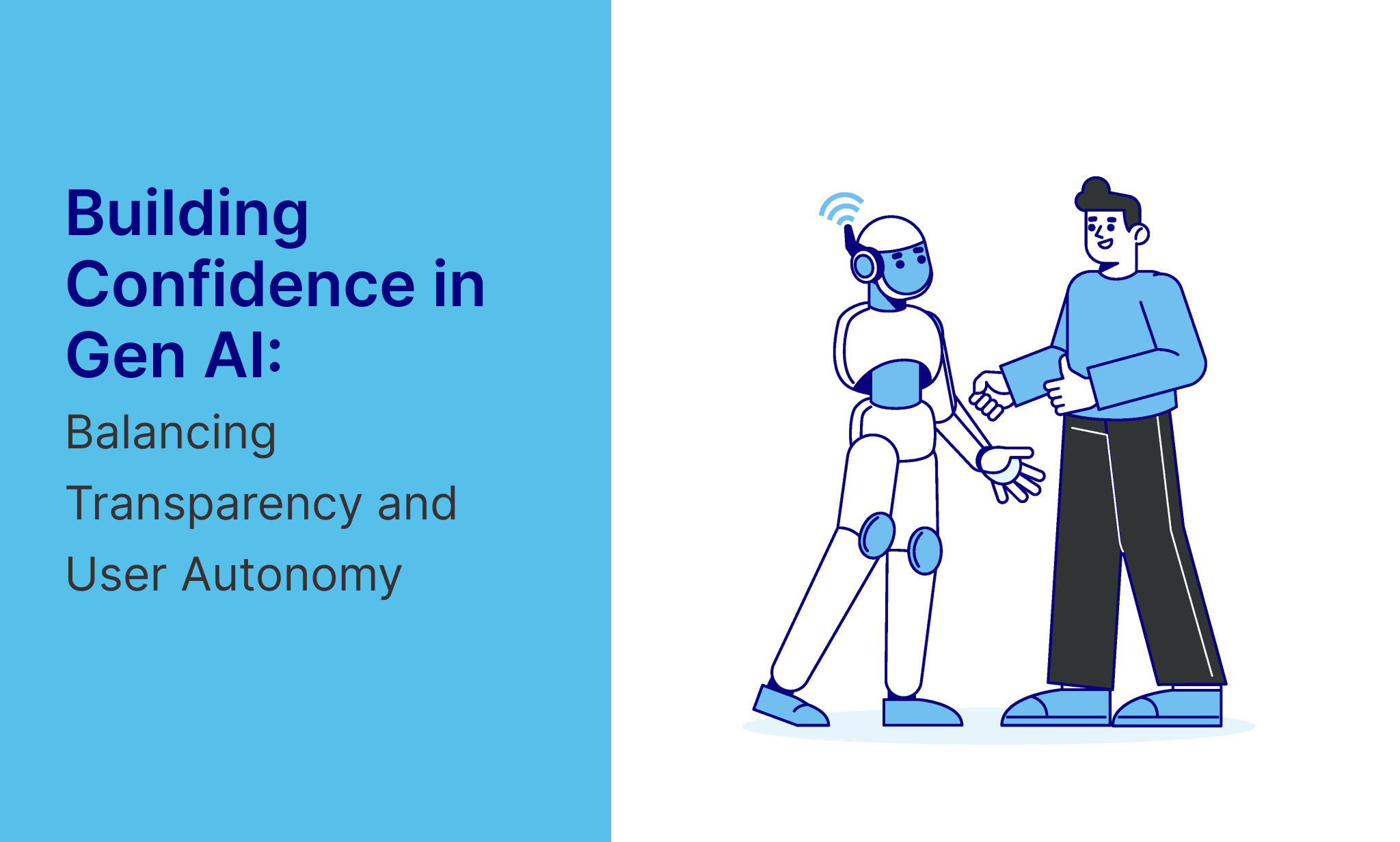
The role of UX Designers is not just to explain the technology behind AI, but also to ensure users understand its behavior, limitations, and how to control it. When users feel uncertain about the source of the information, whether it’s accurate, or how to change the output, they hesitate or tend to rely blindly on flawed results. This makes transparency and control the two most important levers for building trust in Gen AI.
Let’s explore the key UX strategies that help achieve this, along with real-world examples from current AI-powered products.
1. Explainable AI: Showing What’s Happening Under the Hood
Generative AI outputs can feel like black boxes; text, images, or code appear, but users have no insight into how they were formed. That uncertainty quickly erodes user trust. UX can solve this by making AI reasoning visible and simpler.
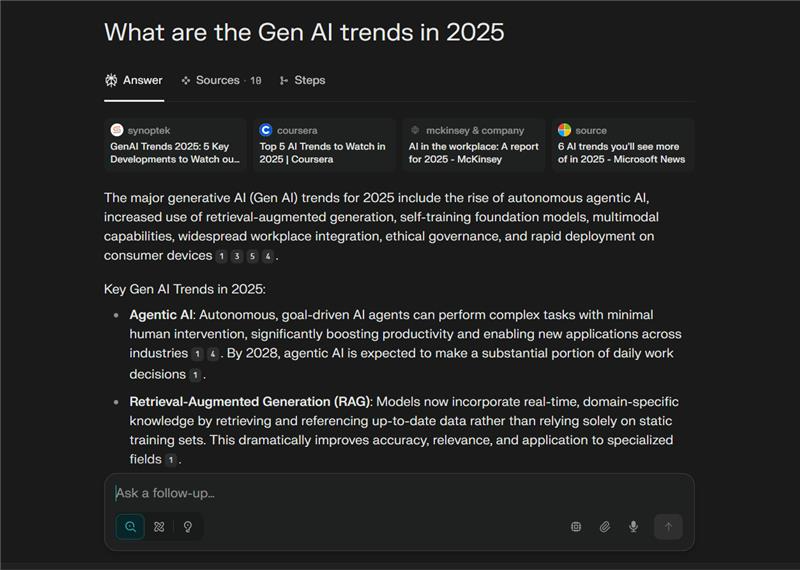
For instance, displaying the source links, citations, or input references helps users verify information and understand how the outputs were constructed. Designing patterns that summarize the “why” behind a response like “This suggestion is based on your last three inputs” increases clarity. Even confidence indicators (like subtle icons or color tones) can signal how reliable an output is.
Example: Perplexity AI shows footnoted sources directly in its answers, helping users cross-check facts with ease.
2. Giving Users Control Over AI Behavior
Users trust tools that can be shaped. If a generative AI tool behaves unpredictably and doesn’t guide the users on how to undo or revise its outputs, they either disengage or stop experimenting. This especially holds true when the stakes are high, like drafting business emails, legal notices, or health-related queries.
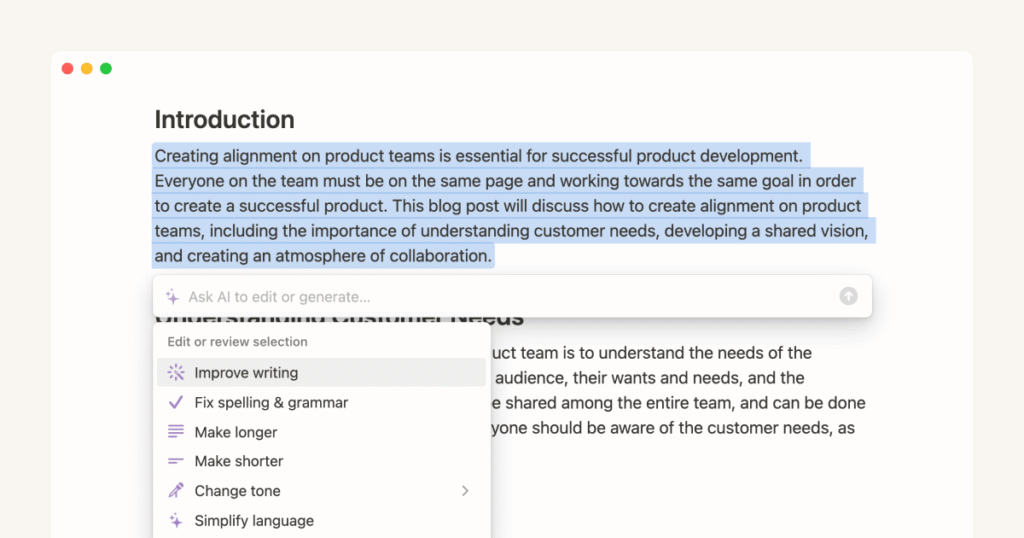
Good UX enables customization and iteration. Tone sliders, format options, and rewriting tools allow users to get the aligned output. More importantly, controls like “Undo,” “Try Again,” or “Compare Outputs” allow for trial and error without the fear of losing progress. Giving users the steering wheel even partially makes the Gen AI model feel like a collaborator, and not a controller.
Example: Notion AI provides simple options like “Make it shorter,” “Explain better,” or “Change tone,” giving users quick control over generated text output.
3. Setting Clear Boundaries and Limitations
Nothing erodes user trust faster than false confidence. AI tools that present hallucinated information without clear disclaimers risk leading users into misinformation or bad decisions. It’s more respectful and safe to be transparent about what the AI can and can’t do.
Good UX sets expectations upfront while continuing to guide the users through ambiguity. Microcopy like “This is an AI-generated response. Please verify.” or “The model may not have up-to-date knowledge after 2023” gives users the required context without scaring them or breaking trust. When something fails, the error message should explain why, not just say “Try again.”
Example: GitHub Copilot clearly warns: “Code suggestions may be incorrect. Always review before using.”

4. Make Human Oversight Visible
Even though AI becomes more autonomous, showing a layer of human review improves users’ trust, especially in enterprise-grade or high-stakes contexts. When users know there’s a fallback, a reviewer, or guidelines shaping the AI, they tend to be more comfortable with relying on the system.
UX elements like moderation labels, reviewer badges, or references to expert guidance give users confidence that the AI tool isn’t operating in a vacuum. Even subtle nudges like “Approved by legal team” or “Based on company brand rules” assure that the AI model has accountability behind it.
Example: Rytr AI integrates voice and style rules, ensuring all AI content follows brand governance.

5. Responsible Personalization With User Consent
Personalization can make AI feel more helpful if handled carefully. If users don’t know what the AI knows about them or can’t adjust that knowledge they may feel manipulated or surveilled.
Responsible personalization means providing the users with clear and upfront choices. Showing what data is being used, letting the users tweak their preferences, and allowing easy ways to reset or delete the stored information builds users’ trust. The more visible the memory, the more users will feel in control. And when the AI agent adapts based on prior chats or preferences, it should be explained clearly.
Example: ChatGPT’s “Memory” feature informs users when memory is on and lets them manage or delete stored details anytime.

6. Encouraging Feedback Loops
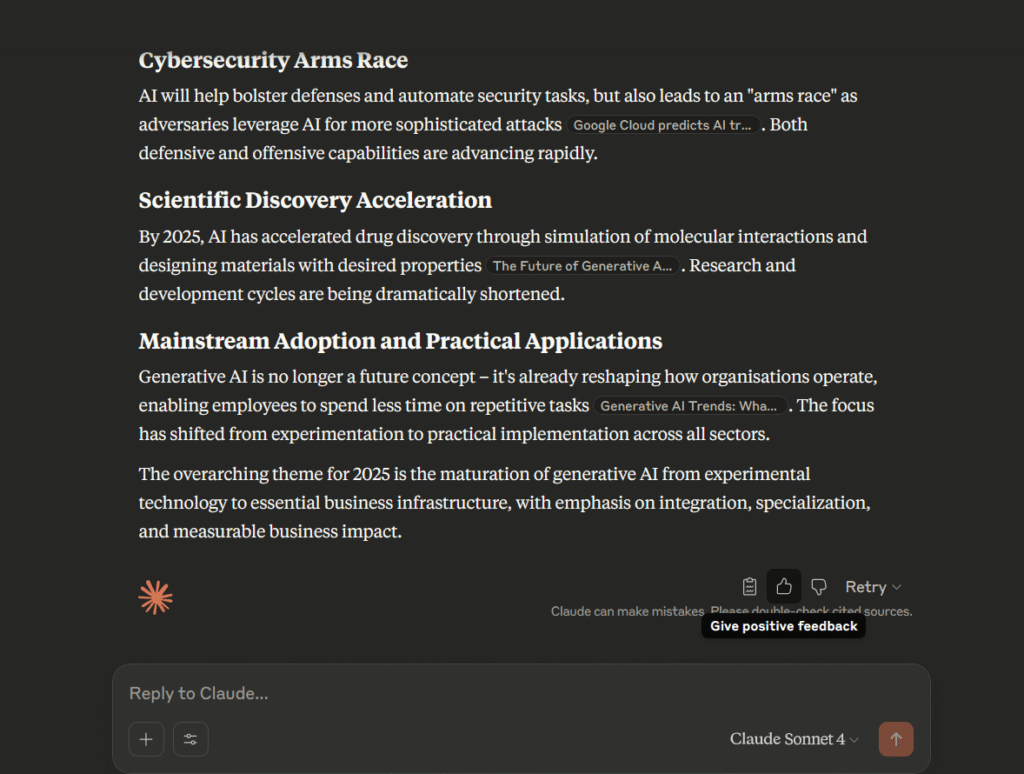
AI that invites feedback becomes more trustworthy over time. Whether it’s a “thumbs up/down,” a “report this response” button, or a comment box to flag inaccuracies, feedback mechanisms give users a meaningful experience rather than a robotic interaction.
And when the system acknowledges or responds to that feedback even just by thanking the user or improving over time, this builds a sense of respect and collaboration. From a UX standpoint, feedback tools must be easily accessible, contextually placed, and offer quick resolutions.
Example: Gen AI models like Chat GPT and Claude by Anthropic asks users whether the response was helpful and uses thumbs-up/down to improve results.
Final Thoughts: Trust Is a UX Responsibility
In generative AI, users aren’t just consuming static content, but they’re interacting with a constantly evolving system. This dynamic nature means trust can’t be assumed; rather, it must be earned through design.
By making AI interfaces explainable, providing users with control, setting honest expectations, and involving human oversight, we help users feel more confident, safe, and empowered. These aren’t just the best practices, but they’re essential ingredients in building AI products that people will actually adopt and recommend.