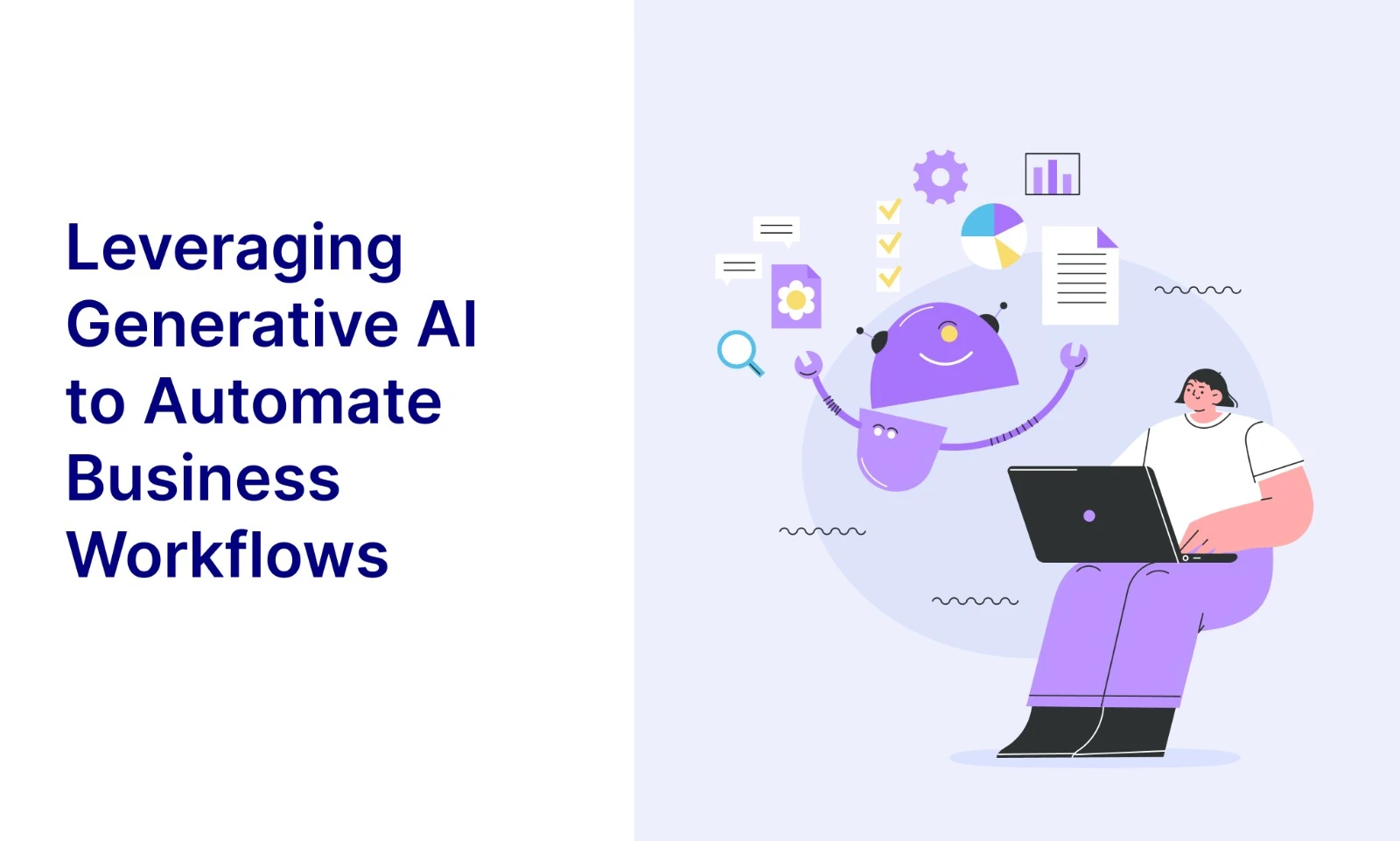
In today’s fast-paced business environment, organizations are constantly seeking ways to improve efficiency, reduce manual effort, and enhance decision-making. One of the most transformative technologies enabling this shift is Generative Artificial Intelligence (Generative AI).
Generative AI refers to systems capable of generating text, content, and insights based on input data. Tools such as AI assistants can now draft emails, summarize documents, generate reports, and even assist in decision-making processes.
Generative AI can be leveraged simply and practically to automate routine business tasks and improve productivity across departments such as HR, IT, Finance, and Operations.
Why Use Generative AI in Business Workflows?
Organizations are adopting Generative AI not just for innovation, but for practical efficiency gains.
Key Reasons:
1. Increased Productivity – Repetitive tasks such as email drafting, report generation, and data summarization can be automated, allowing employees to focus on higher-value work.
2. Faster Decision-Making – AI can quickly analyze large volumes of data and provide insights, enabling quicker and more informed decisions.
3. Reduced Human Error – Manual processes are prone to errors. AI ensures consistency and accuracy in tasks like documentation and data processing.
4. Cost Optimization – By automating routine tasks, organizations can reduce operational costs and improve resource utilization.
5. Enhanced Employee Experience – Employees spend less time on repetitive work and more on strategic activities, improving job satisfaction.
How Generative AI Works in Workflow Automation
Below is the basic workflow architecture
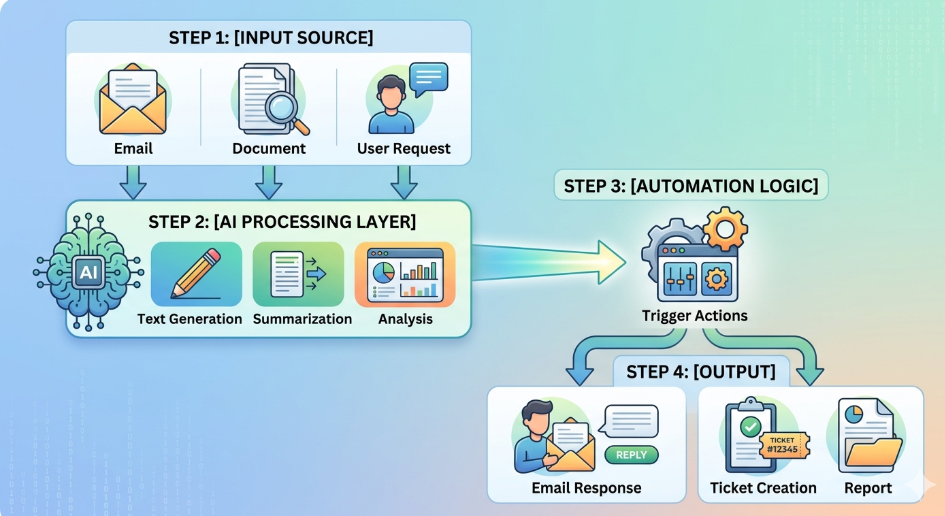
The workflow starts with an input source such as an email, document, or user request entering the system for processing. The AI processing layer then analyzes the content to perform tasks like summarization, text generation, and intent identification. Based on the analysis, the automation logic evaluates predefined business rules and determines the appropriate action to be executed. The system can automatically trigger activities such as sending email responses, generating reports, or creating support tickets. This automated workflow reduces manual effort, improves operational efficiency, and enables faster and more consistent business process execution.
Basic flow:
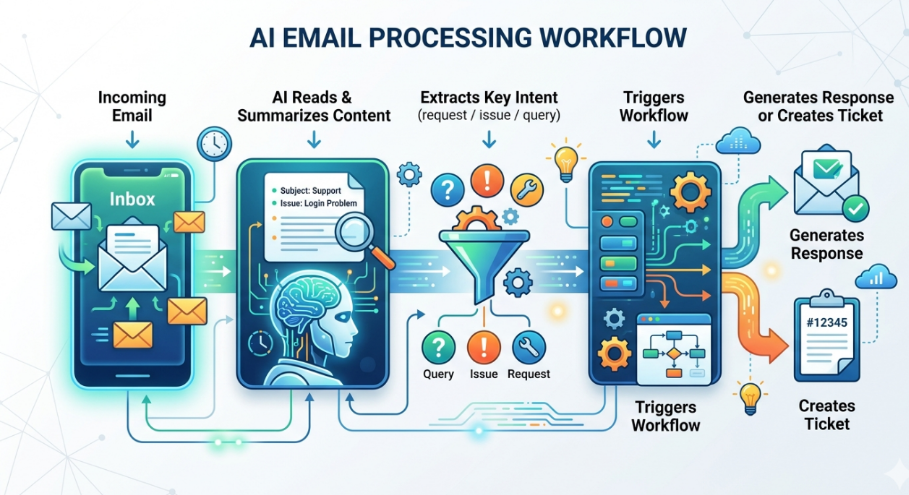
Let us understand the workflow with the help of a practical example – AI Powered Email Automation. When a customer sends email requesting assistance, an email connector retrieves the email content, subject, sender details, and attachments from the mailbox. The extracted content is preprocessed and sent to a Generative AI model such as Google Gemini.
Using NLP and LLM capabilities, Gemini analyzes the email, identifies the customer’s intent, extracts relevant information, determines the priority, and generates a concise summary. The AI model also provides a confidence score to indicate the reliability of its prediction. If the confidence score exceeds a predefined threshold, the request is processed automatically; otherwise, it is routed for manual review.
A workflow orchestration platform then evaluates predefined business rules based on the AI output. For support-related requests, the workflow automatically invokes the ServiceNow API to create an incident. Once the ticket is created, the workflow retrieves the incident number and triggers an automated acknowledgment email to the customer. This approach reduces manual effort, accelerates response times, minimizes operational errors, and improves overall customer experience.
Practical Implementation of AI-Powered Email Automation:
To understand how AI workflow automation works in practice, lets consider we received an email as below:
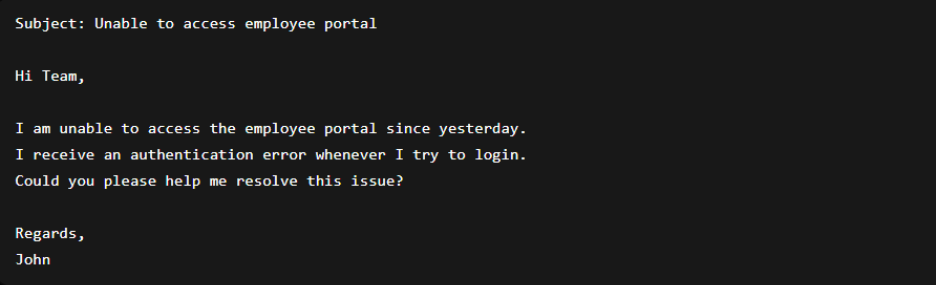
Considering the above example, we can follow the steps below:
Step 1: Email Received and text preprocessing
The process begins when an email arrives in a monitored mailbox such as Outlook or Gmail. An email connector such as the Microsoft Graph API or Gmail API continuously monitors the mailbox and extracts the email content, subject, sender information, and attachments. The extracted content is then passed to Google Gemini for further processing.
Subject: Unable to access employee portal
I am getting an authentication error while logging in.
Extracted Fields:
</> JSON

{

  "subject": "Unable to login",

  "body": "I cannot access the application since yesterday",

  "sender": "customer@abc.com"

}
Step 2: AI Processing
The email content is sent to an LLM such as GPT or Gemini. The model analyzes the semantic meaning of the email and classifies the user’s intent.
For example:
- “My application is not working” – Technical Support Request
- “What is the status of my ticket?” – Status Inquiry
- “Please update my contact information” – Data Change Request
The model can simultaneously generate a concise summary of the email and extract important business information.
The workflow automatically constructs a prompt and submits the extracted email content to Google Gemini through its API, which can be achieved by implementing Python logic. The AI model processes the content and returns a structured response containing the intent, priority, summary, and extracted business entities.
</> Python

prompt = f"""

Classify this email into one of:

- Support Request

- Status Inquiry

- Change Request


Extract priority and generate summary.

Email:

{email_body}

"""

Output:

</>JSON

{

  "intent": "Support Request",

  "priority": "High",

  "summary": "Customer unable to login since yesterday"

}


Verifying the confidence before proceeding further (AI Validation step)

</>JSON

{

  "intent": "Support Request",

  "confidence": 0.97

}
If the confidence score exceeds a predefined threshold, such as 90%, the workflow proceeds automatically to create a ServiceNow incident; otherwise, the email is routed to a support agent for manual review and validation. This validation step helps improve the reliability of the automation process and reduces the risk of incorrect ticket creation.
Step 3: Workflow Automation
Once Google Gemini has analyzed the email and returned a structured response containing the intent, priority, summary, and confidence score, the information is passed to a workflow orchestration platform such as Microsoft Power Automate.
The workflow engine acts as the decision-making layer between the AI model and enterprise applications. It evaluates predefined business rules and determines the next action based on the AI output.
For example, Gemini may return the following response:
{
"intent": "Support Request",
"priority": "High",
"summary": "Customer unable to login due to authentication error",
"confidence": 0.97
}

The workflow engine evaluates business rules such as:

IF Intent = Support Request AND Confidence > 90%
THEN Create ServiceNow Incident

IF Intent = Status Inquiry
THEN Retrieve Ticket Status

IF Intent = Change Request
THEN Trigger Approval Workflow
Step 4: Create ServiceNow ticket
After the workflow engine determines that a support ticket must be created, it invokes the ServiceNow REST API. The workflow automatically maps the information extracted by Gemini into the fields required by ServiceNow.
For example:
</> Gemini Output

{
"intent": "Support Request",
"priority": "High",
"summary": "Customer unable to login due to authentication error",
"sender": "john@company.com"
}


The workflow then sends a REST API request to ServiceNow:

</> JSON

{

  "short_description": "Authentication Error",

  "description": "User unable to access employee portal",

  "caller": "john@company.com",

  "priority": "Medium"

}

ServiceNow responds:

</> JSON

{

"ticket_number": "INC0012345"
}
Step 5: Automatic Email Response
Once ServiceNow returns the incident number, the workflow engine triggers an email service such as Microsoft Outlook Connector or Gmail API to send an acknowledgment email to the customer.
The workflow dynamically inserts the generated incident number into the email template.
Subject: Ticket Created – INC0012345
Hello John,
Thank you for contacting support.
Your request has been logged successfully.
Ticket Number: INC0012345
Our support team will review the issue and get back to you shortly.
Regards,
Support Team
Advantages of Generative AI:
- Efficiency
- Scalability
- Consistency
- Innovation Enablement
Conclusion:
Generative AI is rapidly transforming how organizations operate by enabling intelligent automation of everyday workflows.
By leveraging Generative AI effectively, organizations can improve efficiency, reduce manual effort, enhance decision-making, and empower employees.
However, it is equally important to use AI responsibly, ensuring data privacy, accuracy, and human oversight.
As businesses continue to evolve, Generative AI will play a crucial role in building smarter, more agile, and more efficient workflows. Organizations that embrace this technology early will be better positioned to drive innovation and maintain a competitive advantage.